LLM caching explained (without the tech talk)
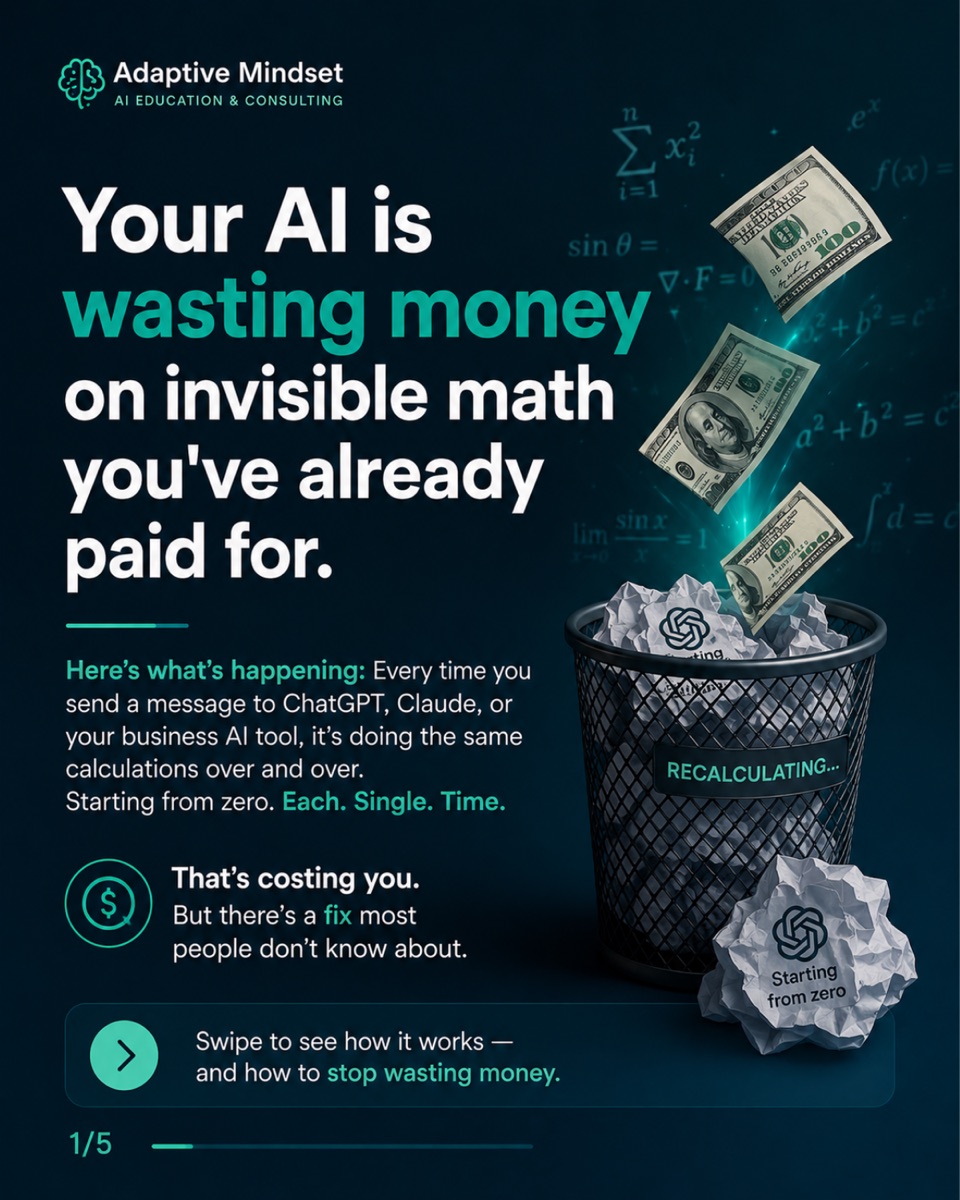
Your AI is wasting money on invisible math you have already paid for. Every time you send a message to ChatGPT, Claude, or your own AI tool, it redoes the same calculations from zero — and charges you again. There is a fix most people have never heard of. This 5-slide breakdown explains it in plain English, using a spreadsheet you already know.

Your AI is quietly charging you twice for the same work. Sometimes ten times.
Every time you send a message to ChatGPT, Claude, or a tool built on top of them, it does the same calculations over and over — starting from zero, each single time. It adds up, and almost nobody talks about the one setting that stops it. Here is the whole thing in plain English.
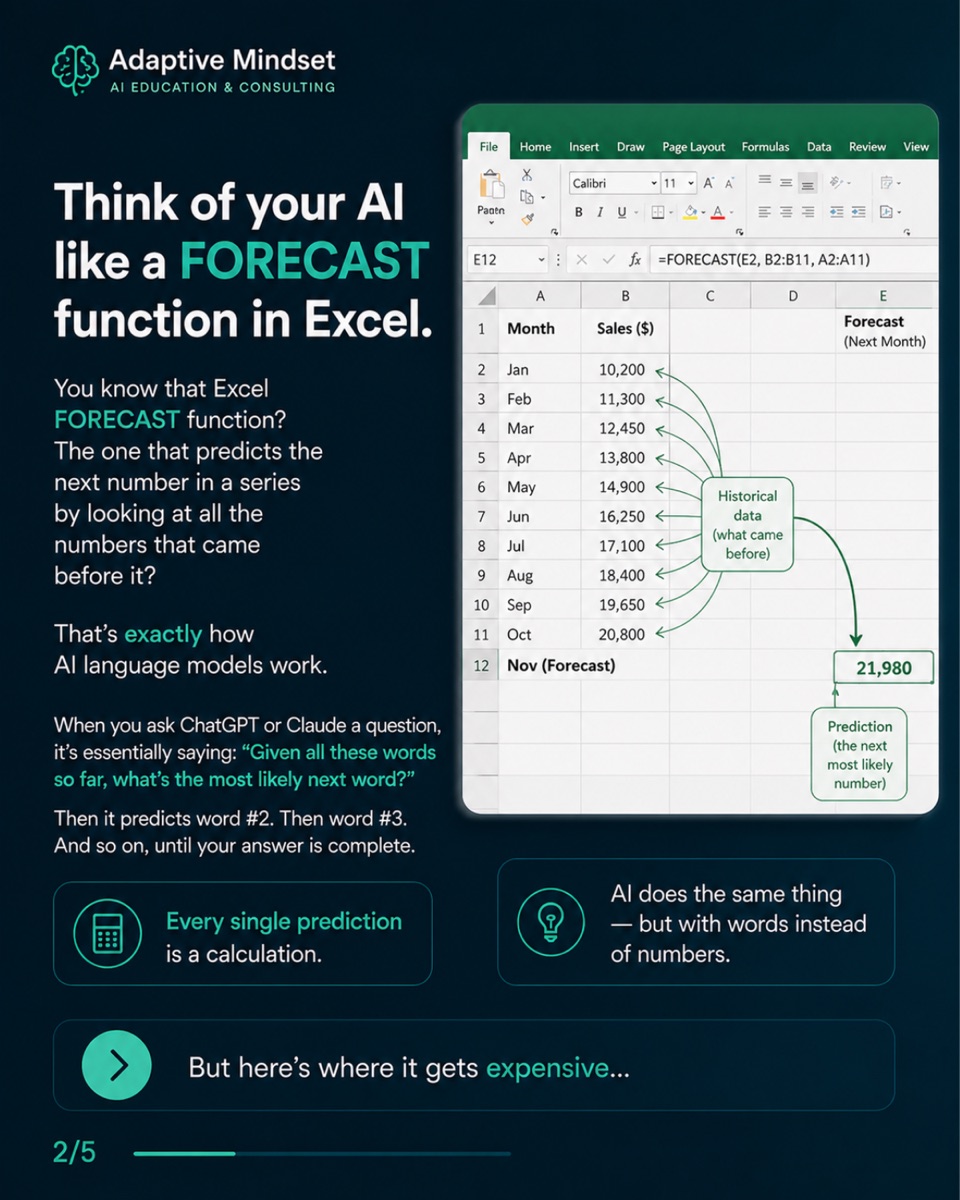
Think of your AI like Excel’s FORECAST function
You know the FORECAST function — the one that predicts the next number in a
series by looking at all the numbers before it? That is exactly how an AI
language model works. When you ask it a question, it is really asking: given
all these words so far, what is the most likely next word? Then it predicts
word #2. Then word #3. And so on, to the end of the answer.
Every single one of those predictions is a calculation. And calculations cost money.
Every new message starts the maths over
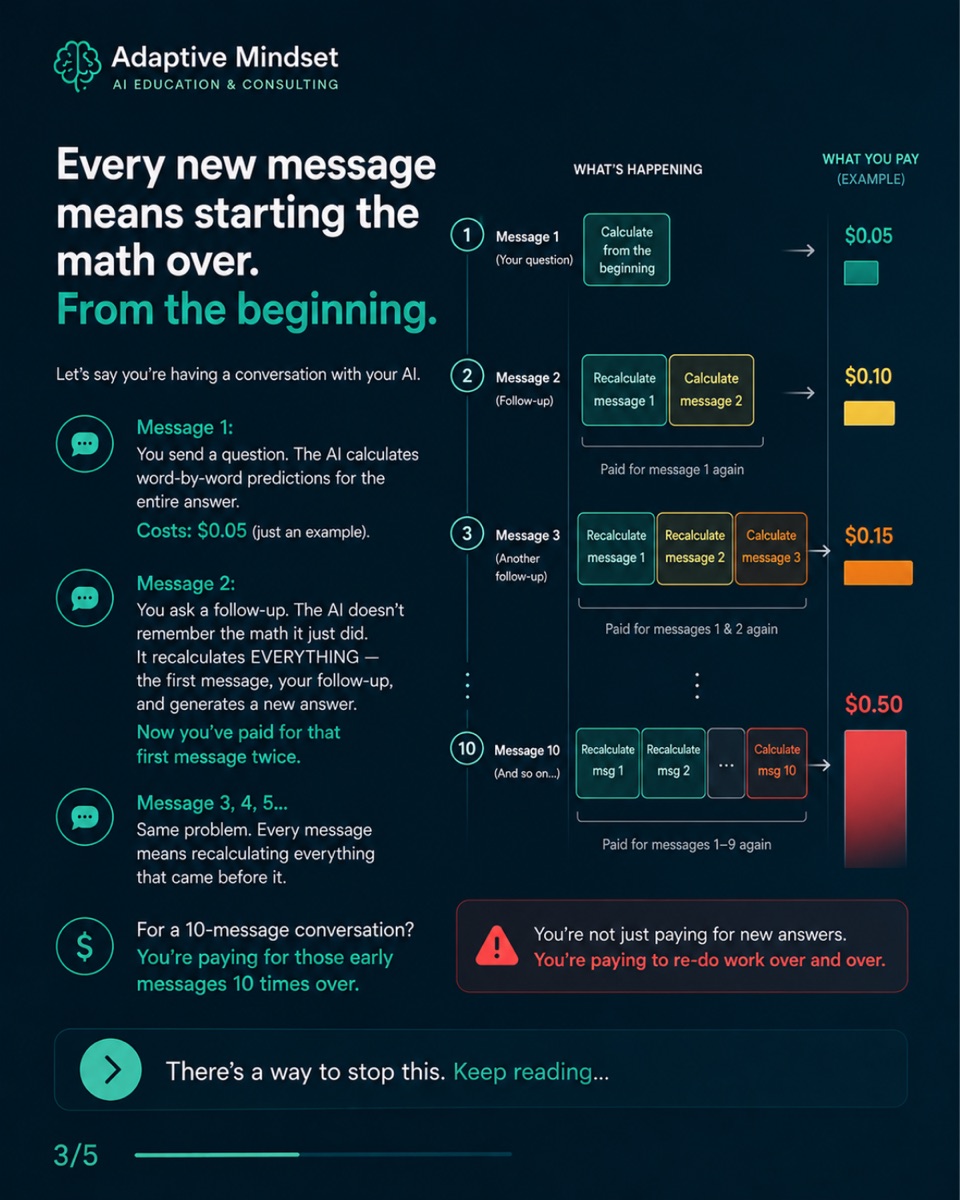
Here is where it gets expensive. Picture a normal back-and-forth with your AI:
- Message 1 — you ask a question. The AI calculates the whole answer, word by word. Say it costs $0.05.
- Message 2 — you ask a follow-up. The AI does not remember the maths it just did. It recalculates everything — your first message, your follow-up, and the new answer. You have now paid for that first message twice.
- Messages 3, 4, 5… — same story. Every message re-does everything that came before it.
For a 10-message conversation, you are paying for those early messages ten times over. You are not just paying for new answers — you are paying to redo old work, again and again.
Caching is the shortcut: pay once, use many times
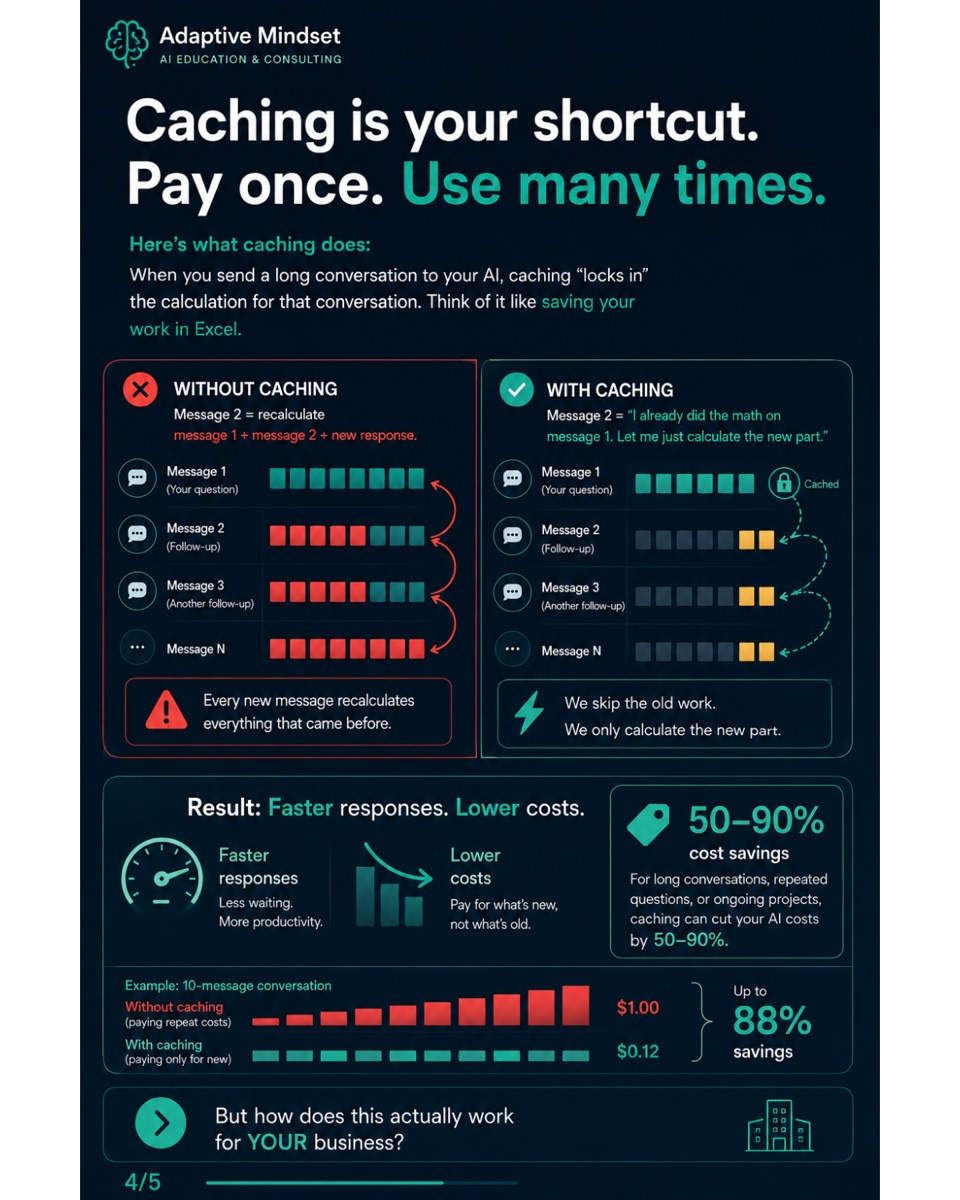
Caching fixes exactly this. When you send a long conversation to the AI, caching locks in the calculation for the part that has not changed — think of it like saving your work in Excel so you never re-type it.
- Without caching: message 2 = recalculate message 1 + message 2 + the new reply.
- With caching: message 2 = “I already did the maths on message 1 — let me just calculate the new part.”
The result is faster responses and lower bills. For long conversations, repeated questions, or ongoing projects, caching can cut your AI costs by 50–90%.
Stop paying for maths you have already done
AI tools get cheaper and smarter every month — but if you are not using caching, you are leaving money on the table. Whether it is ChatGPT for content, Claude for analysis, or a custom tool running your operations, this applies to you.
The non-technical version: your AI has been working harder, and costing more, than it needed to. Caching fixes that. Thirty seconds of setting-up beats watching the invoice climb.
If you are not sure what your AI setup is quietly costing you — or where your data and money actually go — the checklist below is a good place to start.